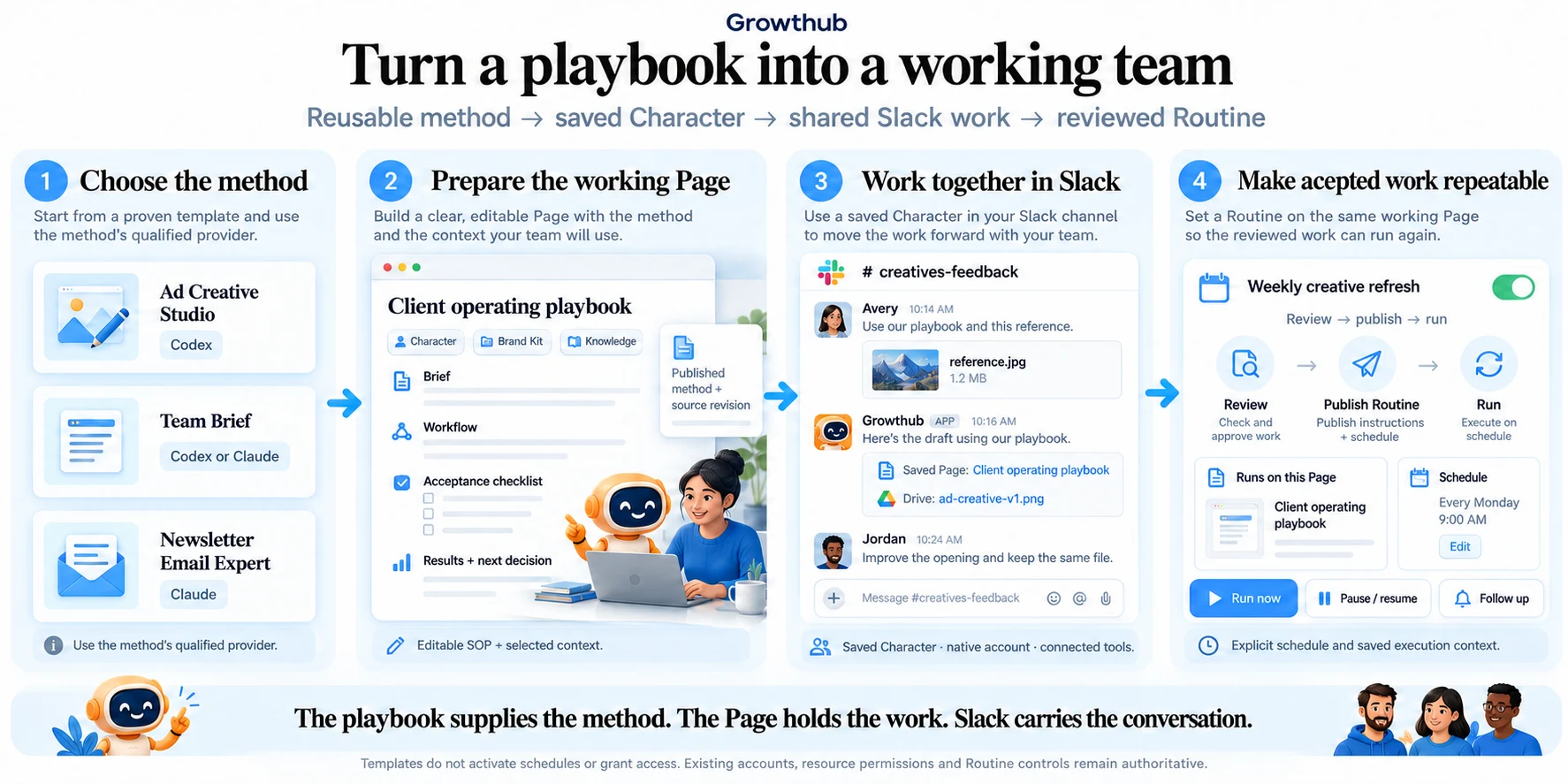
Start from a playbook
Use a ready-made method, then connect it to your accounts, context and business needs.
Explore this guide
Choose a relevant method
Browse Playbooks & signals and open a method that matches your intended result. Read its setup requirements, supported provider and example output. Some pages include an interactive recording of real work.
Read the full sectionAd Creative Studio in action
A real recorded creative run using the existing playbook player. Your own account and context determine the tools available to your work.
A recorded run. Play, pause, change speed or explore the tool calls. Opening it does not start new work.
Choose a relevant method
Browse Playbooks & signals and open a method that matches your intended result. Read its setup requirements, supported provider and example output. Some pages include an interactive recording of real work.
Examples include Ad Creative Studio, Social Posting Expert, Blog Content Repurposing, Newsletter Email Expert, Local Lead Finder and Team Brief. Provider support can differ by method.
Set up your own version
- Choose the provider and model supported by the method.
- Connect the tools you plan to use and confirm the intended account or destination.
- Create the saved Character through the playbook setup.
- Supply your own Brand Kit, brief and authorized sources.
- Review a first result. Use a working Page if you want to preserve the brief, checklist and decisions.
Templates and Routines
A Character template supplies a reusable method. A Page template supplies an editable operating document. Neither starts a schedule just because you select it. Review a Routine separately when you want recurring execution.
See how the parts connect