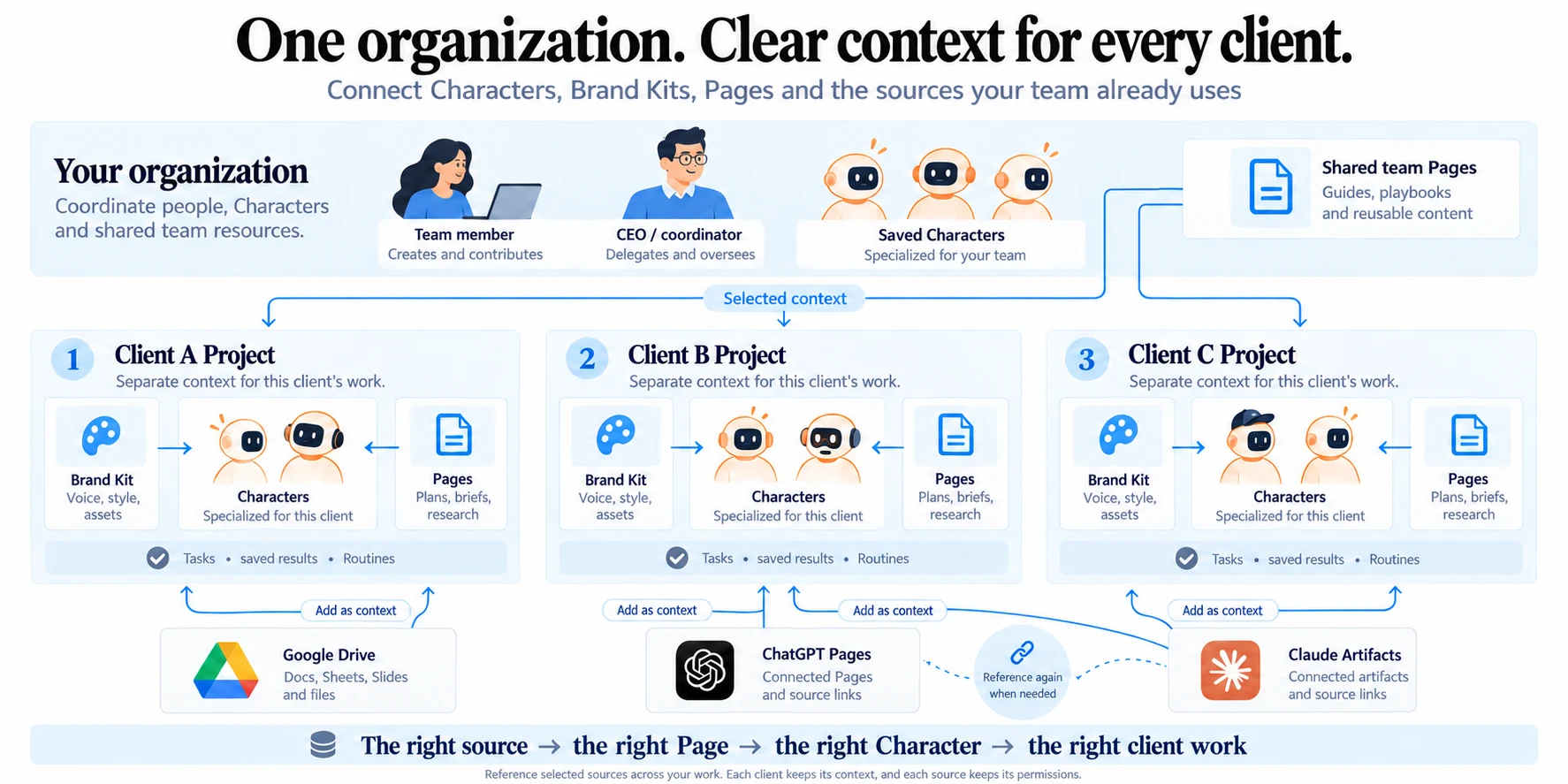
Organize work by client or Project
Keep each client’s conversations, brand direction and working material easy to find.
Explore this guide
Set the working context
Create or choose the Project for the client, campaign or business area. Give it a recognizable name. Keep the relevant Brand Kit and working Pages close to that Project so your team can find the right material.
Read the full sectionSet the working context
Create or choose the Project for the client, campaign or business area. Give it a recognizable name. Keep the relevant Brand Kit and working Pages close to that Project so your team can find the right material.
Prepare a client workspace
- Choose the client Project before starting the conversation.
- Select the appropriate Brand Kit and saved Character.
- Create or link a Page for the brief, sources, checklist and decisions.
- State the authorized destination for the result.
- When switching clients, check the Project, source links and destination again.
See how the parts connect