
Welcome to Growthub
Learn Growthub’s core capabilities, configure your setup and build a reliable way to work with your AI team.
Explore this guide
How Growthub fits together
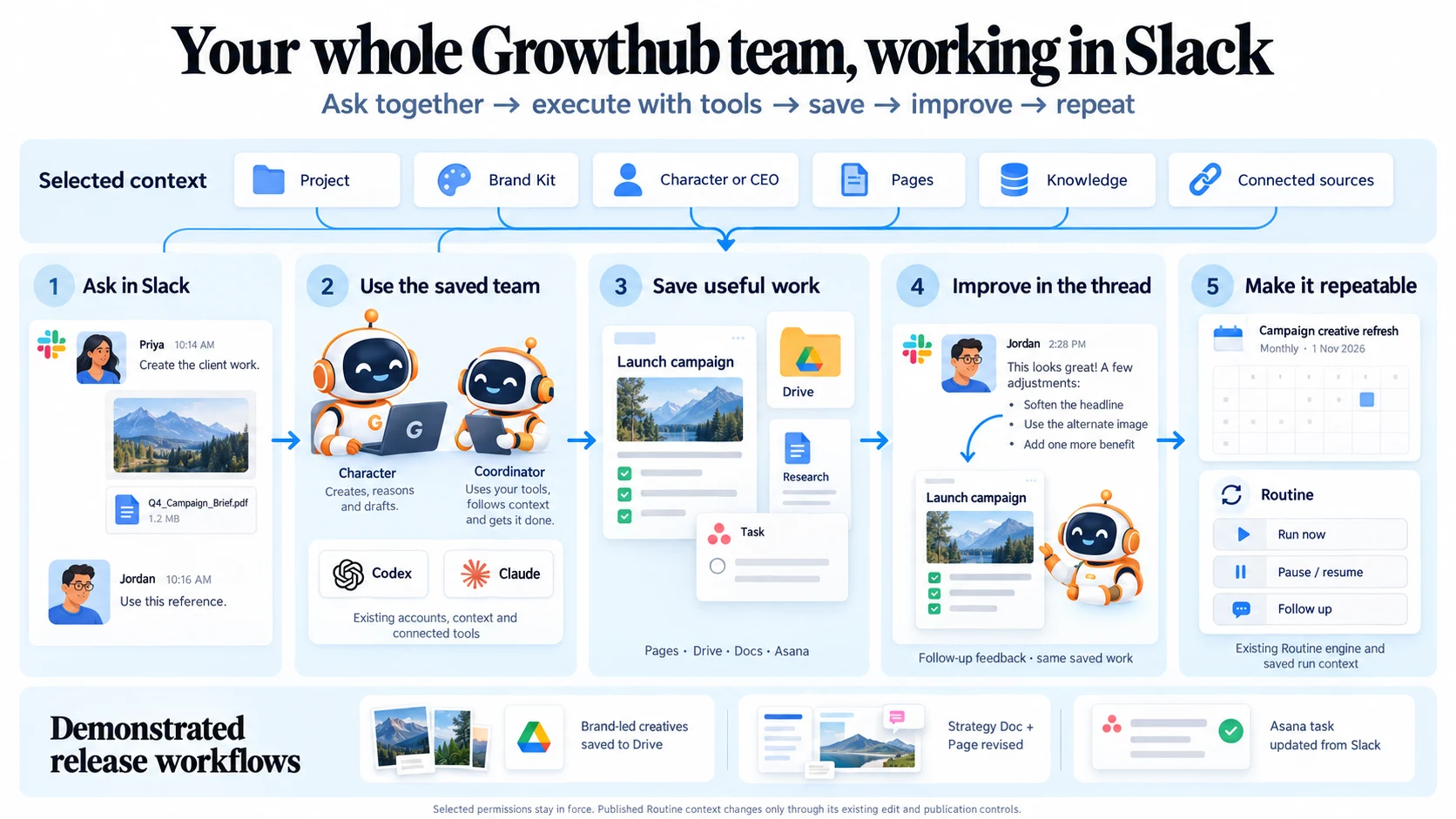
A Project keeps a client or area of work organized. A Brand Kit supplies its approved brand direction. Characters bring saved expertise and instructions. Pages and Knowledge preserve useful context and results. Routines repeat reviewed work on a schedule.
Read the full sectionHow Growthub fits together
A Project keeps a client or area of work organized. A Brand Kit supplies its approved brand direction. Characters bring saved expertise and instructions. Pages and Knowledge preserve useful context and results. Routines repeat reviewed work on a schedule.
Use the Claude or Codex accounts you connect, with the tools available to those accounts. You can work in Growthub or collaborate with assigned Characters in Slack.
Explore the core capabilities
Choose your starting point
Know when the work is ready
A useful result has a saved home, a link you can open and a clear next decision. Review the actual document, image or business record before approving it. A draft, a saved result and a published item are different stages.
See how the parts connect
Find a guide and explore real work
A recording of this guide: find Slack Routine help, browse Profile Settings and inspect an existing playbook replay. Slowed for readability. No new work is started.
Read the tour transcript
Use search to find Slack Routine guidance. Browse the Settings guide for every main navigation item. Open the playbook guide, load its real recorded example, pause the recording and inspect its tools and output.
An interactive guide. Your account and documents stay unchanged.
Choose one useful result
Start with a draft your team can review: a creative brief, a researched summary or a client update. Name the result and where it should be saved.